Manage a shared list
Add items, share the list and keep track together.
Get started
- Add a title and type or paste your items, one per line.
- Choose statuses such as Available and Taken, or write your own. Choose the starting status for new items.
- Choose what people with the link can add or change.
- Create the list and share its link.
Example: a Christmas gift list
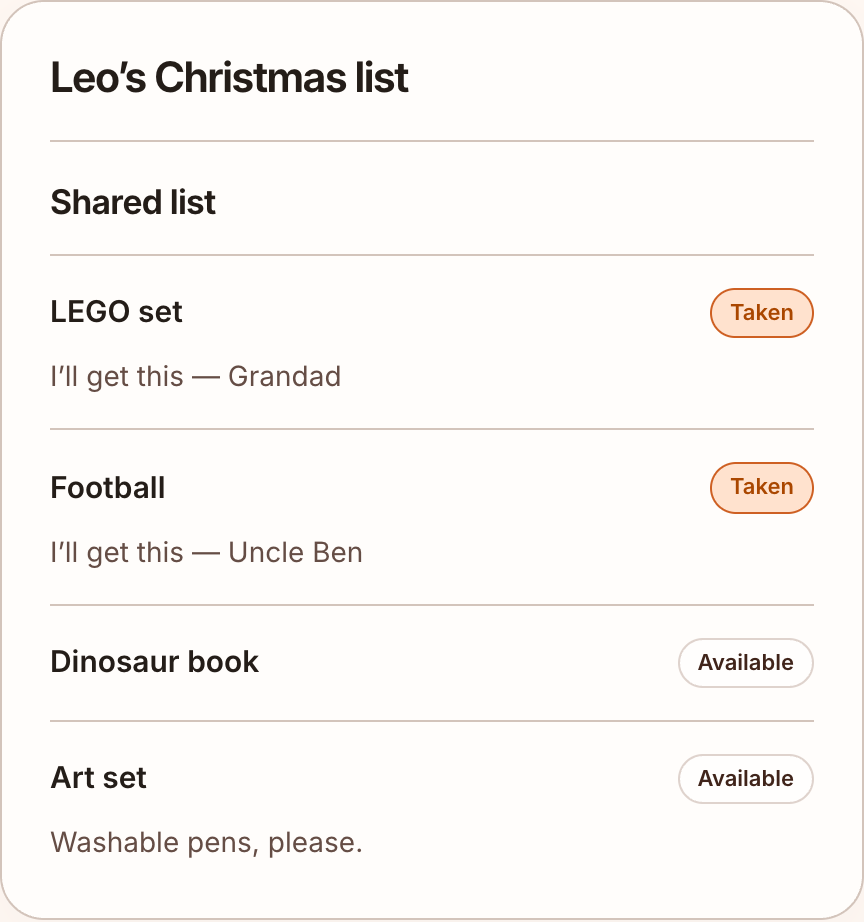
For Leo’s Christmas list, start each gift as Available. Grandad can mark the LEGO set Taken and add a note: “I’ll get this — Grandad.” Uncle Ben can do the same for the football.
Taken does not record who is buying the gift, so include a name in the note. Check the latest list before buying.
Share the same link by message or email, or in different chat groups. Everyone uses the same list.
Who can change things?
You choose whether people with the link can add items, change statuses, edit notes or add photos. Only you can change an existing item’s wording or remove it.
You can ask people to enter a name and email before making changes. These details do not prove who someone is.
Finished with the list?
Archive the list to move it into History.
People with the link can still open it and make any changes your settings allow. To stop those changes, set the editing options to organiser only.