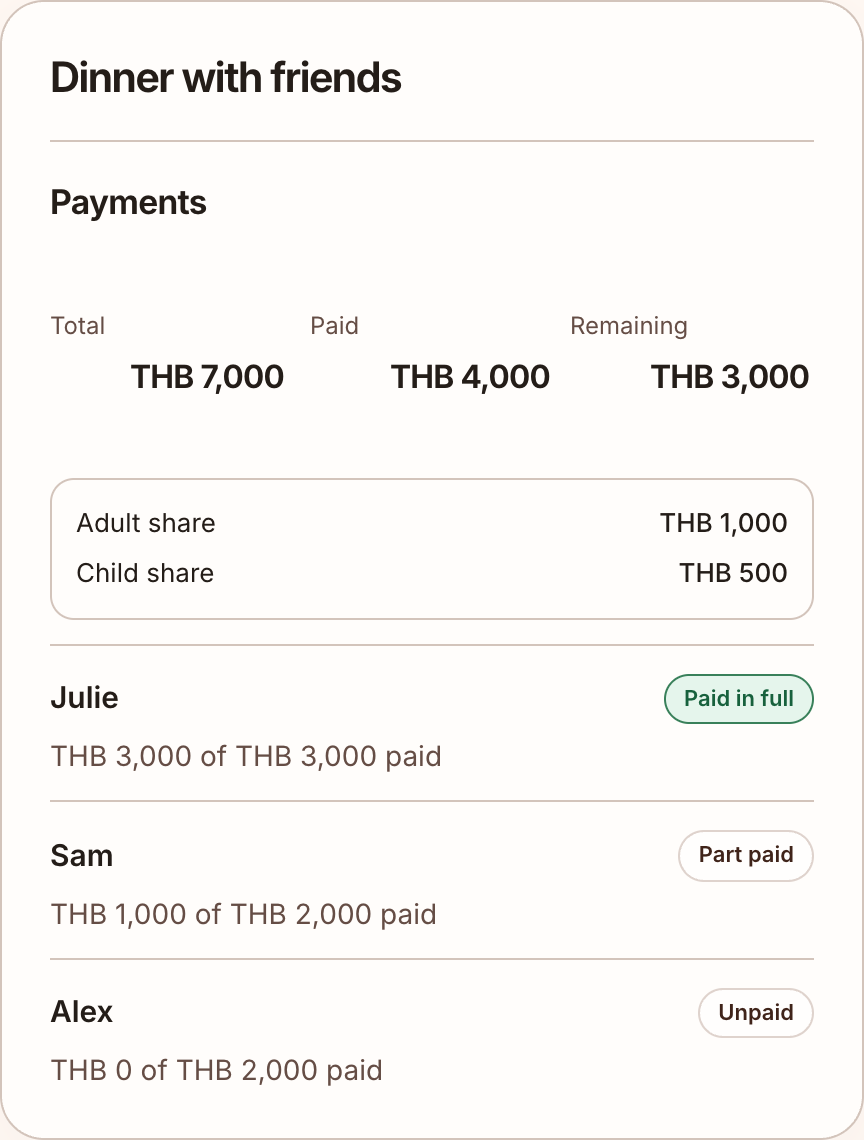
Track event payments
Set the amount, share payment instructions and see who has paid.
Before you start
Verify your organiser email using the code we send you. No password is needed.
Snazzu keeps payment records. Money goes directly to the recipient named in your payment instructions.
Choose how to divide the cost
- Fixed prices: set a price for each adult and child.
- Split total: enter the final cost and confirm attendance. Snazzu calculates each RSVP’s share using the adult and child shares you set.
You can also set a different price for an individual RSVP. That price stays the same until you change it.
Tell guests how to pay
Choose your payment methods and add clear instructions, including who receives the money.
If you collect deposits, explain how much to pay in the instructions. The Deposits required option helps Snazzu recognise early partial payments as deposits; it does not set the deposit amount.
Record and check payments
Guests can report a payment or upload a bank slip, depending on your settings. You can also record money received yourself, such as cash.
Check the payment history before adding a payment so it is only recorded once.
An automatic slip check and your own confirmation are shown separately. A valid slip may still cover only part of the amount owed.
If attendance or costs change
Review the updated amounts before saving. When splitting a total cost, a change to one RSVP can affect everyone’s share.
Payments already recorded stay in the history. Tell the group about any extra payment or refund needed, and arrange refunds directly.